

|
|
|
||||||||
| Portal | PhotoPost Gallery | Register | Blogs | FAQ | Members List | Calendar | Search | Today's Posts | Mark Forums Read |
 |
|
|
Thread Tools | Display Modes |
|
|
|
#1
 05-07-2012, 09:05 PM
|
|||||
|
|||||

Quote:

__________________


|
|
#2
05-07-2012, 09:35 PM
|
|||||
|
|||||
|
Quote:
btw what program are you using?
__________________
Though a tree grow ever so high, the falling leaves return to the root. 300DD - 140DD  TOTM Fall 2013
|
|
#3
05-07-2012, 09:56 PM
|
|||||
|
|||||
|
Haha! I asked him the same thing.
Quote:
__________________
It all started with ............. "Finding Nemo" 
|
|
#4
05-07-2012, 10:27 PM
|
|||||
|
|||||
|
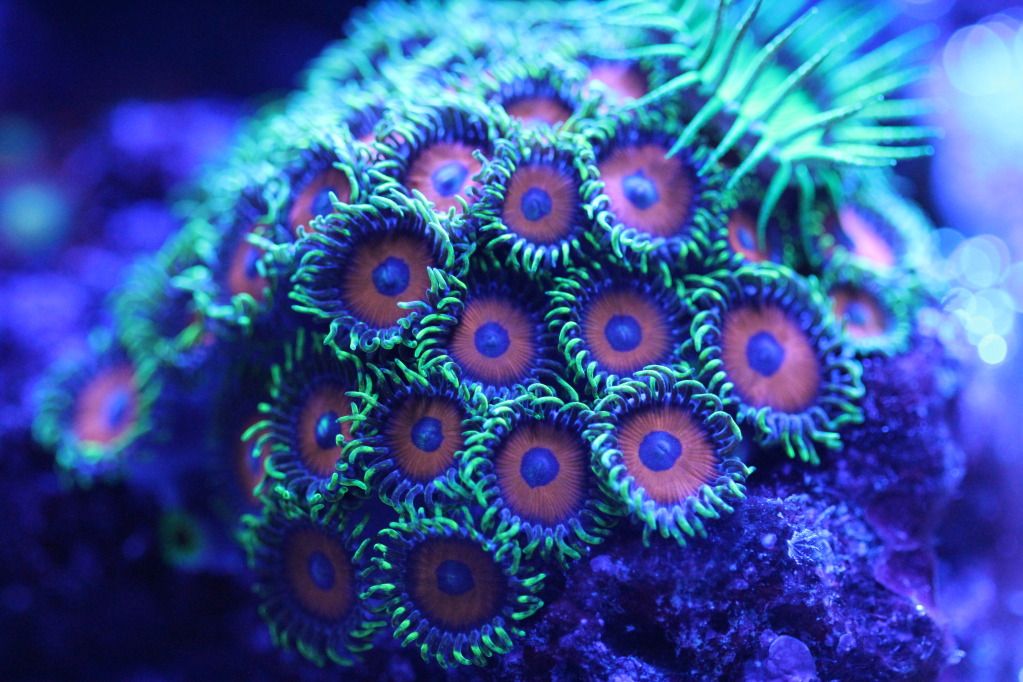
I used photoshop. It has three auto adjustments that I use on most of my coral pictures. Auto-Tone, Auto-Contrast and Auto-Color. Auto-Color is the one that removes bluish hues and brightens the colours. It is very natural result.
Most online photo storage include tools to auto balance a photo. Picasa/Google I use to great success, same as what I do with Photoshop but with only one click instead of three. Whatever tools you already have should include some auto correcting features, give them a go! Keith.
__________________
|
|
#5
05-07-2012, 11:12 PM
|
|||||
|
|||||
|
Thanks for the info snaz. I will have to give them a try.
__________________
Though a tree grow ever so high, the falling leaves return to the root. 300DD - 140DD TOTM Fall 2013
|
|
| Thread Tools | |
| Display Modes | |
|
|




 Hybrid Mode

